—
NOVITAPS · NAVIGATION FOR WORDPRESS
One plugin. Every way to navigate.
Build beautiful, responsive navigation for websites, dashboards and app-like experiences. Manage menus and design in WordPress, Gutenberg or Elementor—without depending on Elementor Pro.
WordPress native · Gutenberg block · Elementor widget · Shortcode
01 / LAYOUTS
8 navigation modes
Choose the layout that fits your content and audience.
02 / SOURCES
One shared menu system
Reuse WordPress menus, block navigation or custom entries.
03 / DEVICES
Responsive control
Assign different navigation modes and visibility by device.
04 / DESIGN
Design your way
Style globally, per profile or for an individual instance.
NAVIGATION LAYOUTS
Eight layouts. One consistent experience.
From a simple header to a multi-level dashboard sidebar, NoviTaps gives each device the right navigation—without rebuilding your menu.
Horizontal
A clear top navigation for landing pages and traditional websites.
Vertical
A compact, structured menu for sidebars and content-heavy sites.
Sidebar Accordion
Nested sections expand in the page flow while the content moves naturally.
Dropdown & Flyout
Multi-level navigation with hover, click and keyboard interaction.
Mega Menu
Present larger menu structures and published WordPress or Elementor content.
Off-Canvas
A focused menu panel for smaller screens and compact layouts.
App Bottom Navigation
An app-like mobile bar with icons, labels, badges and a More panel.
Navigation Rail
A space-saving navigation rail for dashboards and applications.
SIMPLE FROM THE START
Build once. Place it anywhere.
Use your existing WordPress navigation or create your own entries. Keep structure and appearance organized centrally, then place the same navigation wherever it belongs.
See how NoviTaps works ↓STEP 01
Choose a source
Classic WordPress menus, the Navigation block or your own entries.
STEP 02
Pick a layout
Choose the mode and responsive behavior for each device.
STEP 03
Style and publish
Save a reusable design and insert it with a block, widget or shortcode.
DESIGNED AROUND REAL WORKFLOWS
Your menu. Your rules. Your design.
01 / WORDPRESS
Native WordPress administration
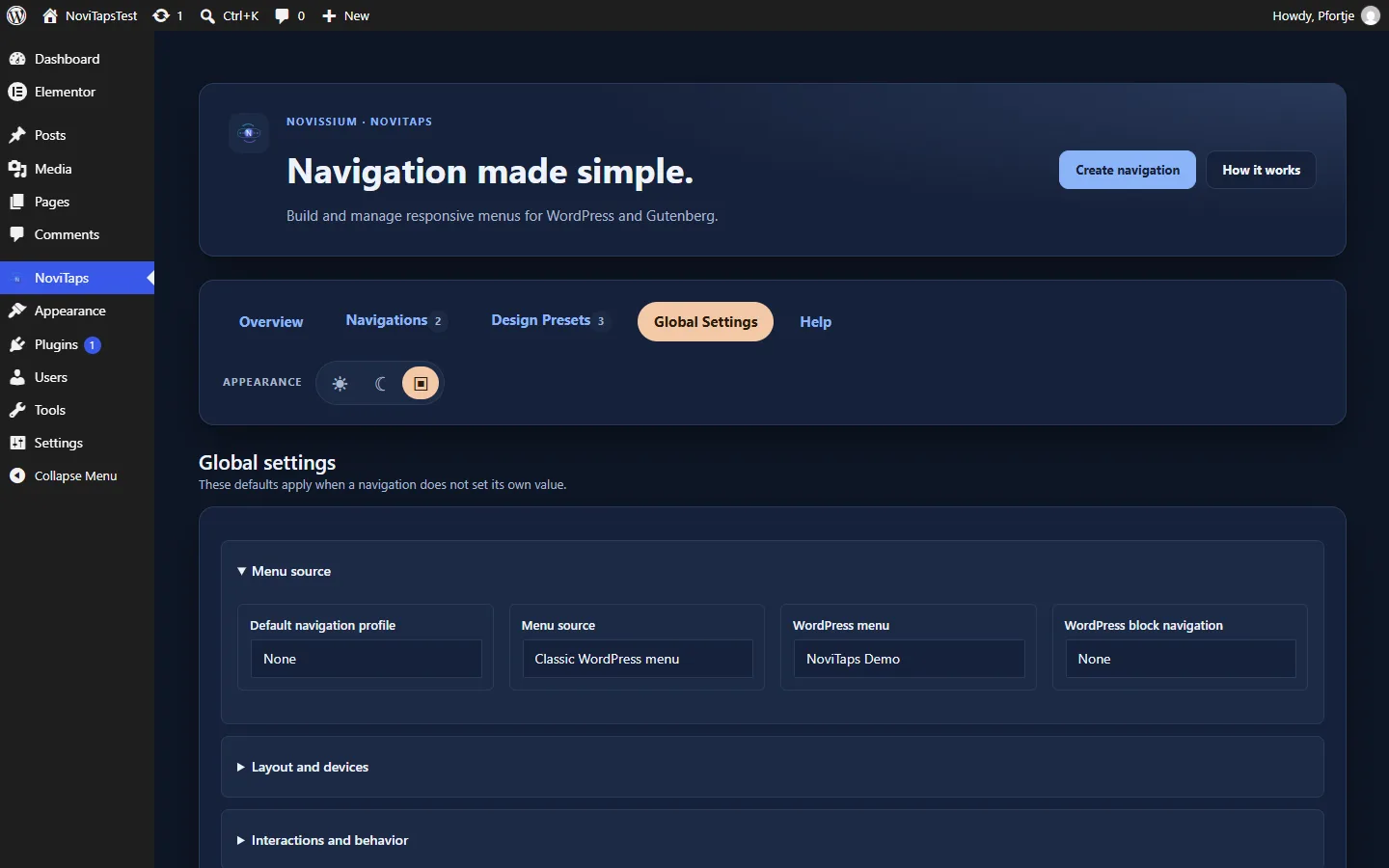
Manage menus and designs in the WordPress admin. Saved navigation profiles and import/export between websites are included in Business.
02 / GUTENBERG
Gutenberg, without a workaround
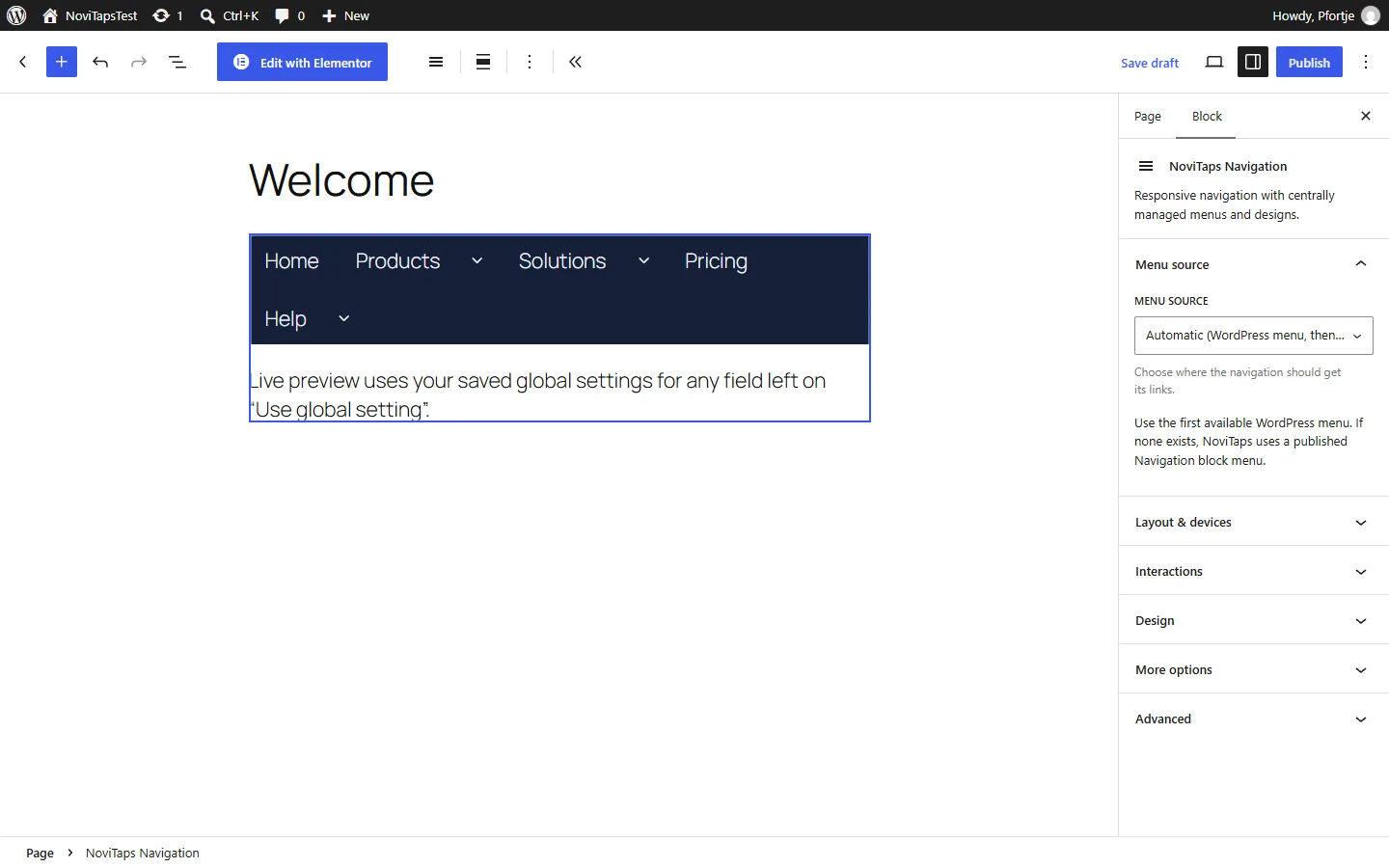
Insert navigation through the dedicated block or a simple shortcode in classic and block themes.
03 / ELEMENTOR
Elementor, with native controls
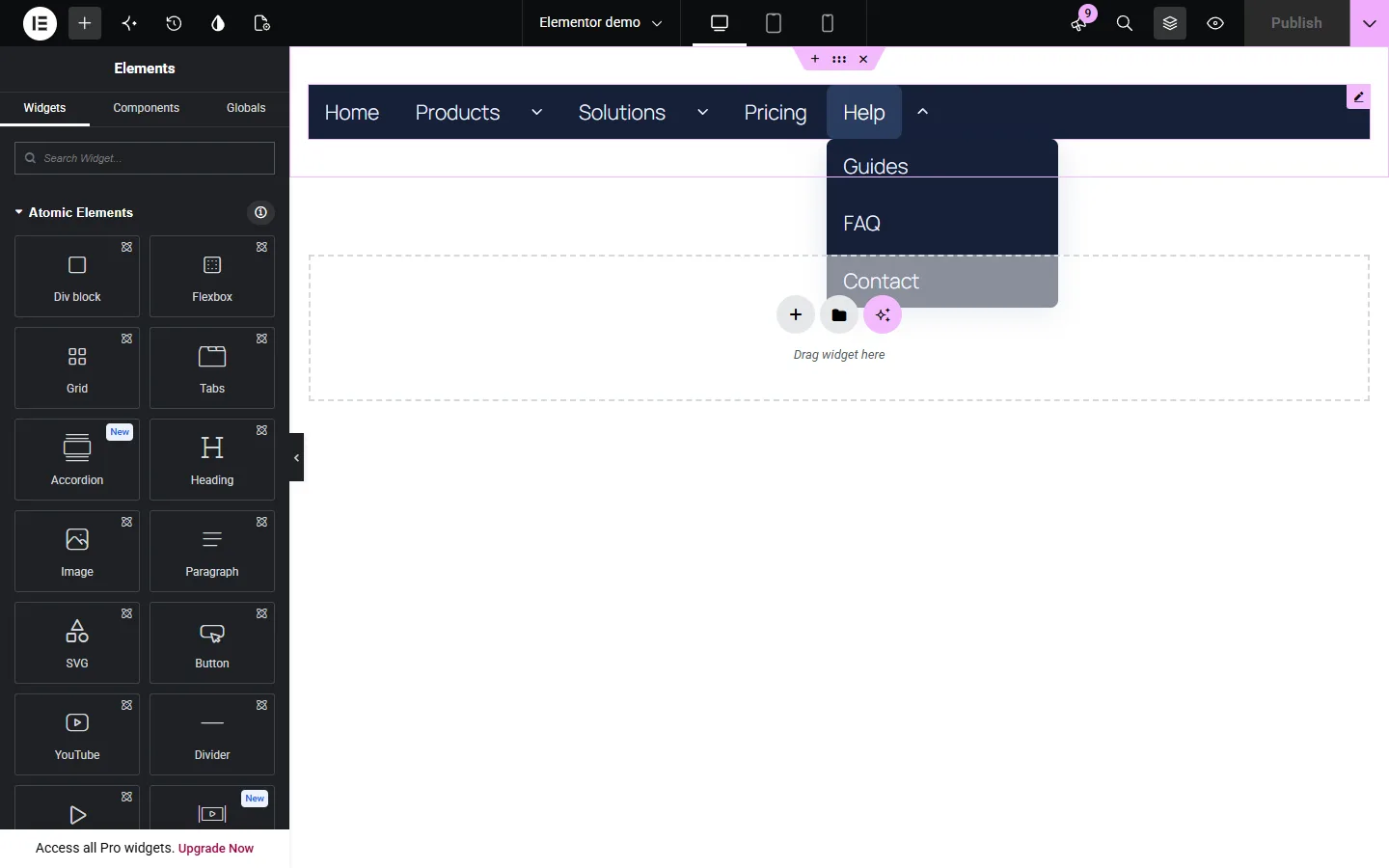
Use the dedicated Elementor widget with responsive controls—Elementor Pro is not required.
04 / DESIGN
Reusable design presets
Colors, typography, spacing and keyboard focus styles in every edition. Hover and active states plus ready-made and your own presets from Standard, advanced design from Pro.
05 / ENTRIES · PRO
Smarter menu entries
Add icons, descriptions, badges, call-to-action links, account items, search and nested menu structure.
06 / RULES · PRO
Context-aware navigation
Show entries by device, page, language, sign-in state or user role.
DESKTOP TO MOBILE
The right navigation at every width.
Use a horizontal menu on desktop, a navigation rail on tablets and an app-style bottom bar on phones. Keep the same underlying structure while the layout changes with the screen.
Custom breakpoints, active-path states, badges, responsive visibility and safe-area spacing give you fine-grained control without duplicating your menus.
Made for real interaction
✓ Keyboard navigation and visible focus handling
✓ Separate links and submenu disclosure buttons
✓ Reduced-motion support and no-JavaScript fallback
✓ Nested accordions that expand in document flow
✓ Off-canvas Escape and focus management
EDITIONS & PRICING
Start simple. Grow when you need to.
Every edition works on its own in WordPress, Gutenberg and Elementor. Standard covers most websites, Pro adds mega menus and advanced design, Business adds automation for agencies.
Eight layouts
Reusable designs
Responsive controls
No Elementor Pro requirement
Standard
Every layout for websites and app-like mobile menus.
1 website at the entry price · 5 and 25 website options
Most popular
Pro
Mega menus, your own entries and advanced design for larger sites.
1 website at the entry price · 5 and 25 website options
Business
Saved navigations, automatic placement and import/export for agencies.
1 website at the entry price · 5 and 25 website options
Which edition do I need?
Standard covers most websites: every layout, separate tablet and mobile layouts, sticky navigation, icons, badges, hover states and design presets. Pro adds the mega menu, your own entries and advanced design. Business adds saved navigations, automatic placement and import/export.
Do I need Elementor or Elementor Pro?
No. NoviTaps is a standalone WordPress plugin. Use the WordPress block, a shortcode or the optional Elementor widget. Elementor Pro is not required.
Can I use existing WordPress menus?
Yes. Select a classic WordPress menu, block navigation or create custom entries. NoviTaps does not rewrite your existing menus.
Will it work with Gutenberg?
Yes. NoviTaps includes a dedicated WordPress block and works with classic and block themes.
Can I use different layouts on desktop and mobile?
Yes, from Standard: choose a layout and visibility for each device, for example a horizontal menu on desktop and an app bottom bar on phones. In every edition, horizontal menus switch to a hamburger menu on phones automatically.
Do accordion submenus move the content below?
Yes. Sidebar Accordion expands in the document flow. Nested items open beneath their parent rather than appearing as a flyout.
Can I style individual menus differently?
Yes. Use reusable design presets and override typography, colors, spacing and interaction states on a profile or individual instance.
Can I use navigation in more than one place?
Yes. Place profiles with a Gutenberg block, an Elementor widget or a shortcode, including multiple instances when your layout calls for them.
MAKE NAVIGATION FEEL EFFORTLESS
Your visitors deserve a better way to find their way.
Create the right navigation for every screen with one flexible WordPress plugin.
See editions & pricing ↓