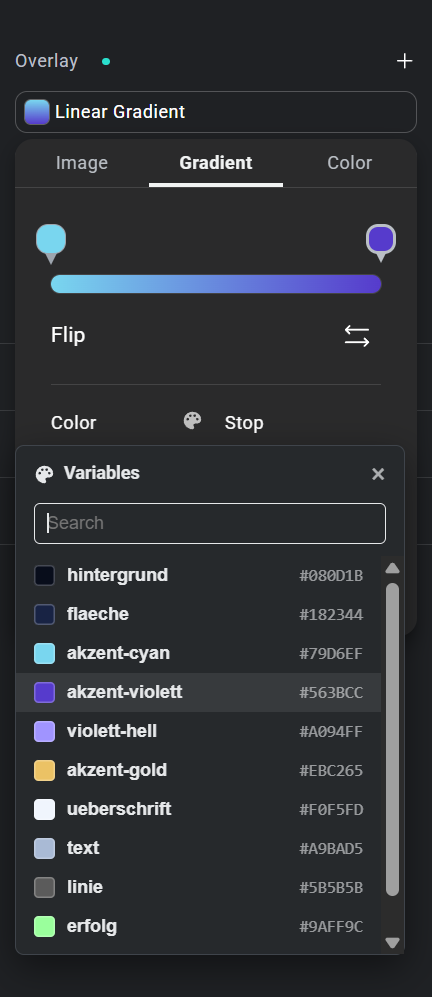
In the Elementor editor, every color field offers your global color variables. Except one: the color stops of a background gradient. There you only get the manual color picker, so you look up hex values again and again.
NoviFix adds the missing list.
- Open a background overlay and switch to Gradient.
- Click a color stop marker on the gradient bar.
- Click the palette icon next to Color.
- Pick a variable from the list, or search for it.
NoviFix does not change Elementor and loads nothing on your site’s frontend. It is a temporary fix: once Elementor supports variables in gradients, simply remove it.