Find your next icon
Search Iconify collections inside Elementor’s icon dialog and import selected SVGs locally into WordPress.
SVG STUDIO FOR ELEMENTOR
SVG Studio
Find the right SVG and shape it inside Elementor. From strokes to animation, without leaving your design workflow.
In development · not yet available
A crisp stroke. A considered gradient. An active state that stands out. SVG Studio brings those details to the place where you already design your website.
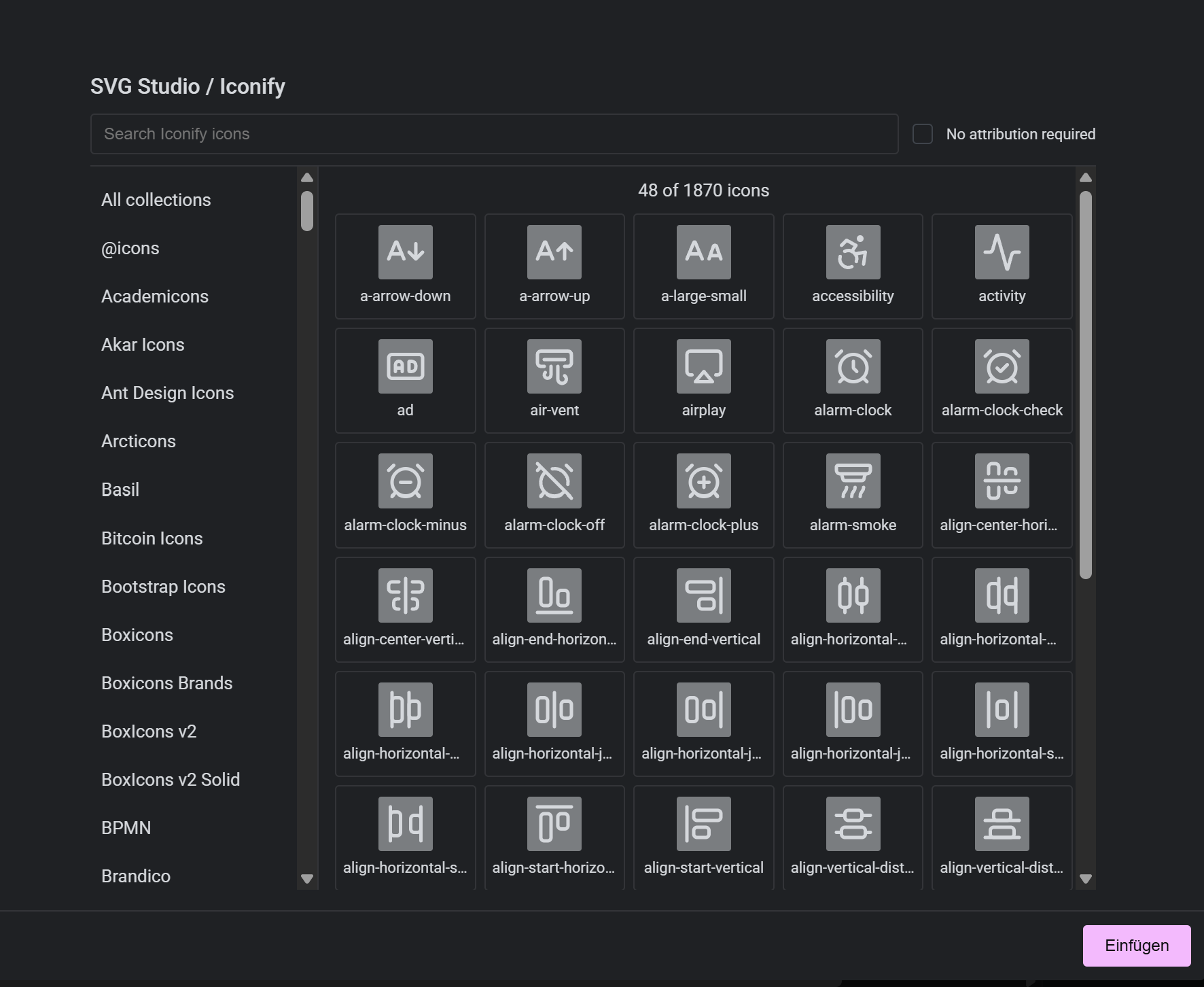
Search Iconify collections inside Elementor’s icon dialog and import selected SVGs locally into WordPress.
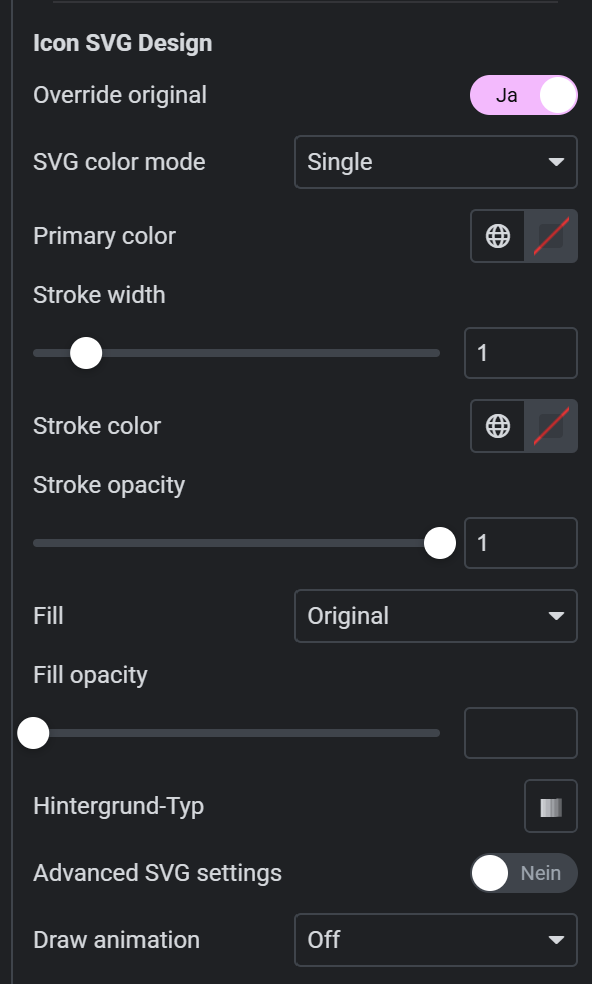
Control colors, fills, strokes and gradients in the editor. Existing SVGs can be selectively brought into the design controls.
Style normal and active icons separately in supported Elementor menus. Each item retains its own settings.
Draw animations with duration, delay and stagger add emphasis as an icon enters the viewport.
Original screenshots from SVG Studio.
INSIDE THE EDITOR

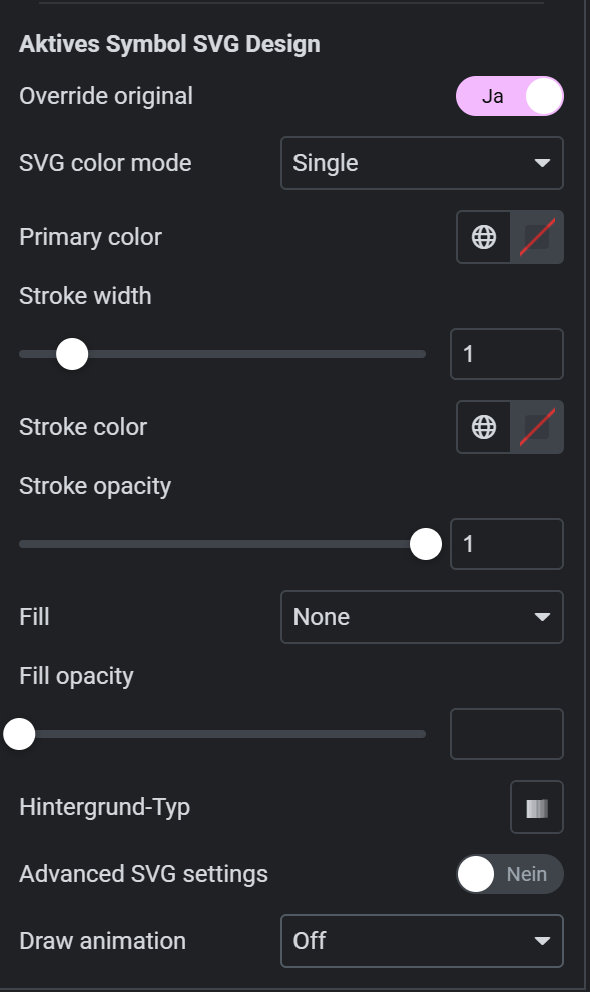
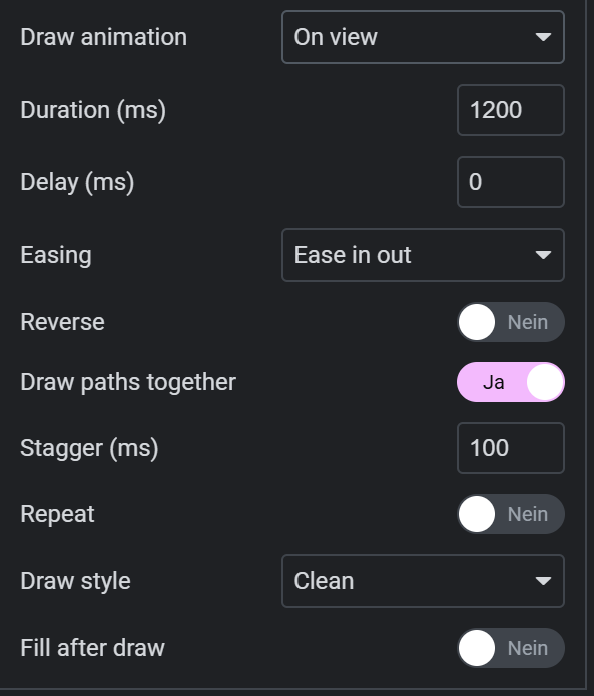
Development progress
WHAT HELPS IN YOUR WORK
Import once, render locally: selected icons do not need a frontend Iconify request.
Edit color, strokes and suitable animations inside Elementor. The development build supports classic icon controls.
Style normal and active icons separately in supported menus.
| Feature | Free | Pro | Ultimate |
|---|---|---|---|
| Iconify collections, search and previews inside Elementor | ✓ | ✓ | ✓ |
| Local SVG imports; no frontend Iconify request | ✓ | ✓ | ✓ |
| Source, author and license records per import | ✓ | ✓ | ✓ |
| License overview and conservative attribution filter | ✓ | ✓ | ✓ |
| Cache overview, bounded cleanup and optional uninstall cleanup | ✓ | ✓ | ✓ |
| Single-color styling and native Elementor Global Colors | ✓ | ✓ | ✓ |
| Fills, strokes and gradients for compatible SVGs | — | ✓ | ✓ |
| Separate icon fields and normal/active menu states | — | ✓ | ✓ |
| Opt-in styling for existing Font Awesome/Mox icons and compatible uploads | — | ✓ | ✓ |
| Stroke draw animations, duration, delay and stagger | — | ✓ | ✓ |
| Reduced motion, SVG sanitization and per-render IDs | ✓ | ✓ | ✓ |
| Classic Elementor icon controls; no blanket Atomic/third-party support | ✓ | ✓ | ✓ |
The public demo is not available yet.
YOUR RIGHT FIT
For getting started, ambitious individual projects and multiple client projects.
Explore the basics
0 €free
1 website
For your project
39 €/ year
1 website
For multiple projects
99 €/ year
10 websites
Required third-party products and their licenses are not included. Icon collections remain subject to their respective copyright and license terms.
GOOD TO KNOW
SVG Studio combines icon search with color, fill and stroke controls in the Elementor editor. Adapt the same SVG to your design instead of searching for a separate file for every variation.
The outlines are drawn over time. Duration, delay and stagger let you adjust the motion to your icon. The original screenshots show the available controls.
Selected icons are imported locally. Their frontend display does not require an Iconify request. Icon searches in the editor use the external search service.
Each collection has its own license terms. Review them before use; a filter helps selection but does not replace a license check.
Not yet. This page presents the development build and plans. There is currently no public checkout or approved download.
Beyond the obvious.
Tell us what you have in mind. Your requirements help shape a product for everyday work.
Get in touch ↗With your permission, we use Google Analytics to understand how this website is used. Usage data is transferred to Google and cookies are stored. You can decline or withdraw your consent at any time in Privacy settings.
Privacy details